

Waveform
Read exposure and RGB levels. Pinch to zoom vertically for a closer look.
Nobe OmniScope for iPad
Eleven video and audio scopes, native touch controls, and layouts you can make your own. Monitor a live camera feed, connect to OmniScope desktop, or inspect a local image or video.
Free PRO access during the beta. The full release will offer paid plans.
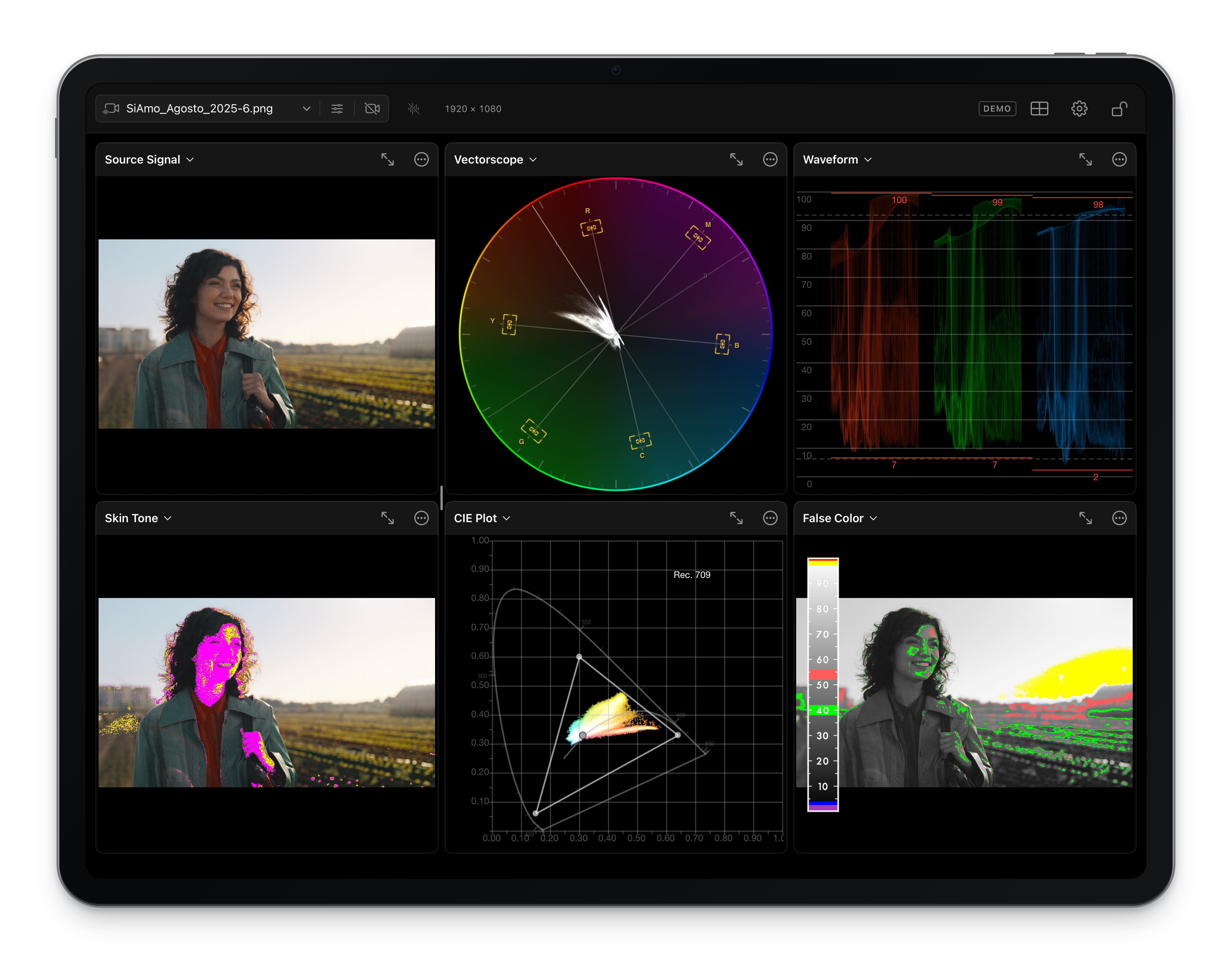
A familiar level of detail
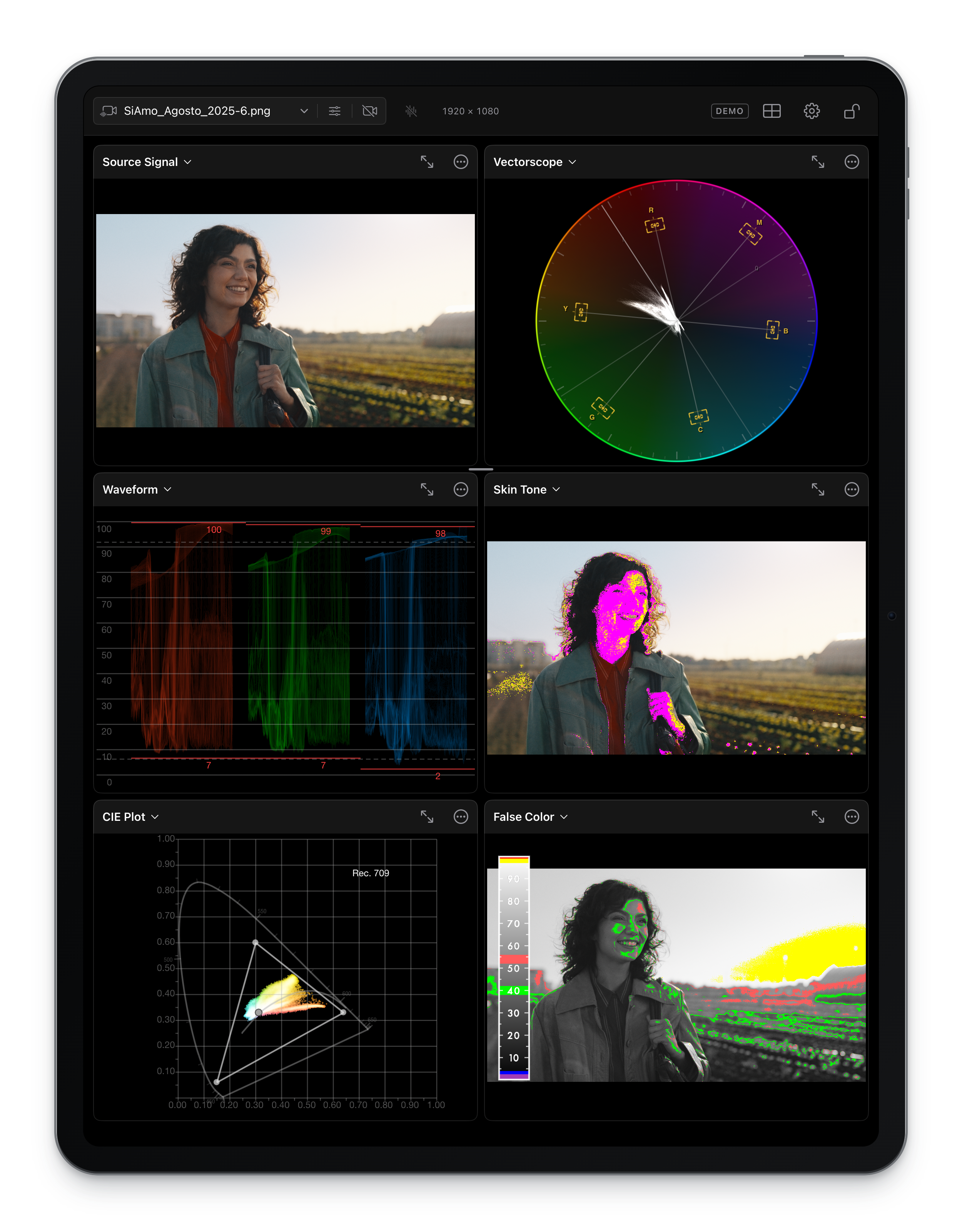
Check exposure, evaluate color, and measure audio with eleven scope types. Put the tools you need together, with independent settings in every cell.
Read exposure and RGB levels. Pinch to zoom vertically for a closer look.
Examine hue and saturation, including separate highlights, midtones, and shadows in HML mode.
See channel distributions and explore where colors sit in the chromaticity plot.
Inspect the picture, read exposure with false color, and sample individual colors with draggable color pins.
Explore the signal in 3D. Drag to rotate and tilt, or switch between surface and point-cloud views.
Inspect skin-tone ranges with manual HSV or YCbCr detection, and highlight colors close to neutral.
Inspect stereo correlation and the relationship between channels, with selectable stereo pairs and peak hold.
Measure momentary, short-term and integrated LUFS, loudness range, and true peak. Pause or reset each meter independently.
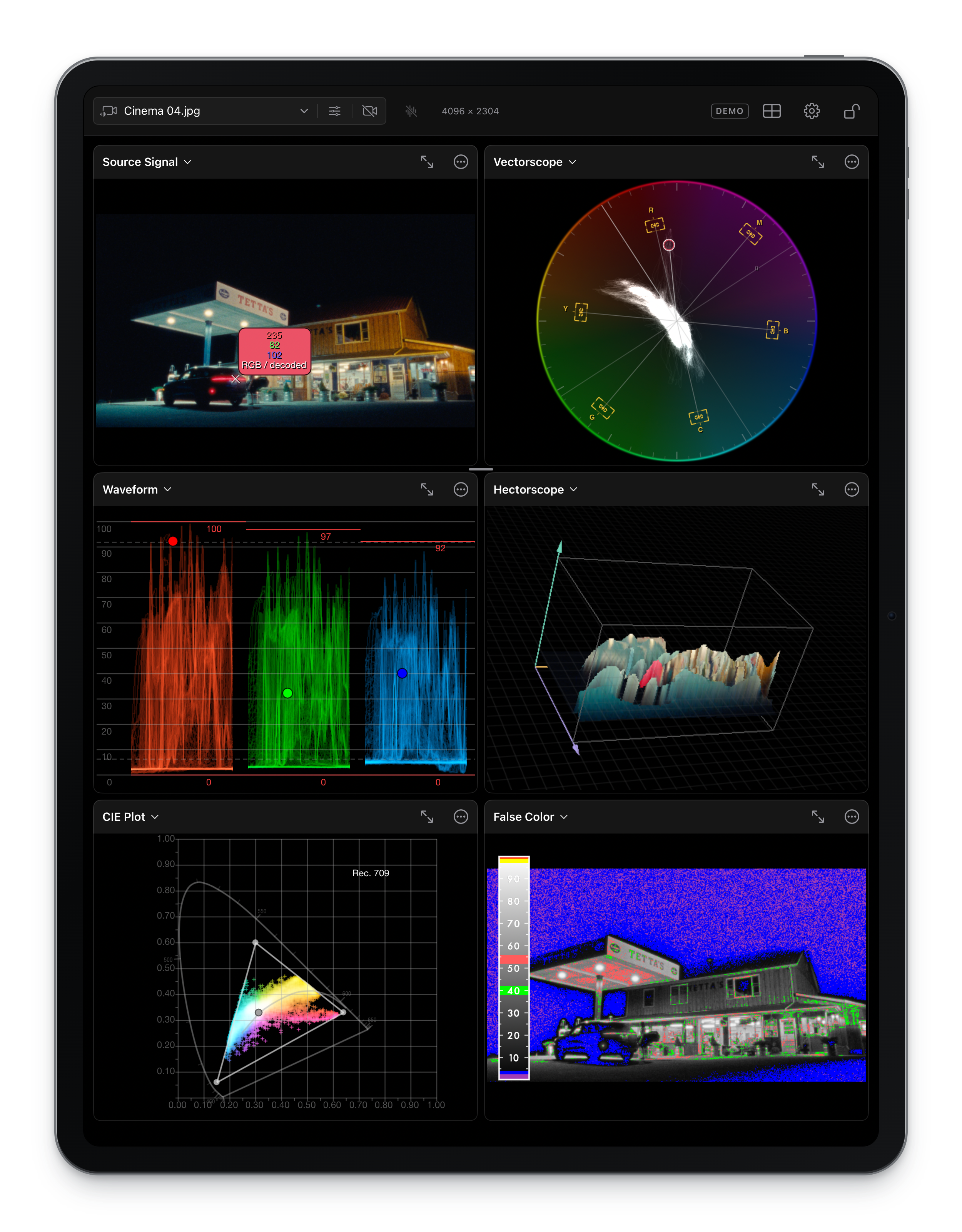
Made for touch
Native controls keep your settings close. Lock the workspace when you want the scopes to fill the screen.
Bring your signal
Bring local media and live signals into the same scope workspace, with settings remembered for each source.
Use the built-in cameras or a compatible USB capture device recognized by iPadOS. Available formats depend on the device.
Monitor an NDI source on your network.
Receive SDR or HDR streams in caller or listener mode, with configurable buffering and encrypted connections.
Bring an HDMI signal into OmniScope through SeeMo. Original SeeMo support is now included in the beta.
Open local media from Files on your iPad.
Explore the scopes with a built-in test signal.
Device compatibility and performance testing are ongoing. ScreenPort is not included in the current TestFlight beta.
Color and HDR
Convert camera log to Rec. 709 using 21 input gamma curves and 17 color spaces, or import a 3D .cube LUT. Input processing applies to the picture and every scope.
Preview modes leave scope measurements unchanged. HDR appearance depends on the iPad’s available display brightness. Input LUTs and camera-color conversion bypass automatic HDR preview mapping.
Desktop to iPad
Scan the QR code in a compatible OmniScope desktop SRT output, or pair using the code shown on your iPad. Reconnect to a remembered desktop without setting up the connection again.
Pairing requires both devices on the same local network and a desktop build with iPad pairing support. Stream quality depends on the original source, encoding settings, network, and iPad.
Before you install
An M-series iPad is not required for single-input monitoring or Live Pack's focus peaking, white-balance probe and loudness metering. This build does not support iPhone.
Dual input requires a supported M-series iPad. It is a Live Pack feature, currently disabled in release builds while device and source combinations are being qualified. The subscription window shows your iPad's hardware compatibility and whether your build enables dual input before you purchase.
Help shape the beta
Enter your email and we’ll send you a TestFlight invitation. All PRO features are free during the beta. The full release will offer paid plans, with pricing announced before release.
Joining the beta won’t automatically start a paid subscription. Requires iPadOS 16.4 or later.
Closed beta via TestFlight. Not yet released on the App Store. Paid plans at launch. Pricing will be announced before release.