Your purchase is complete. To activate Live Pack in OmniScope, follow the steps below.
Launch OmniScope with the license you used for purchase.
Open the License menu and select License info.
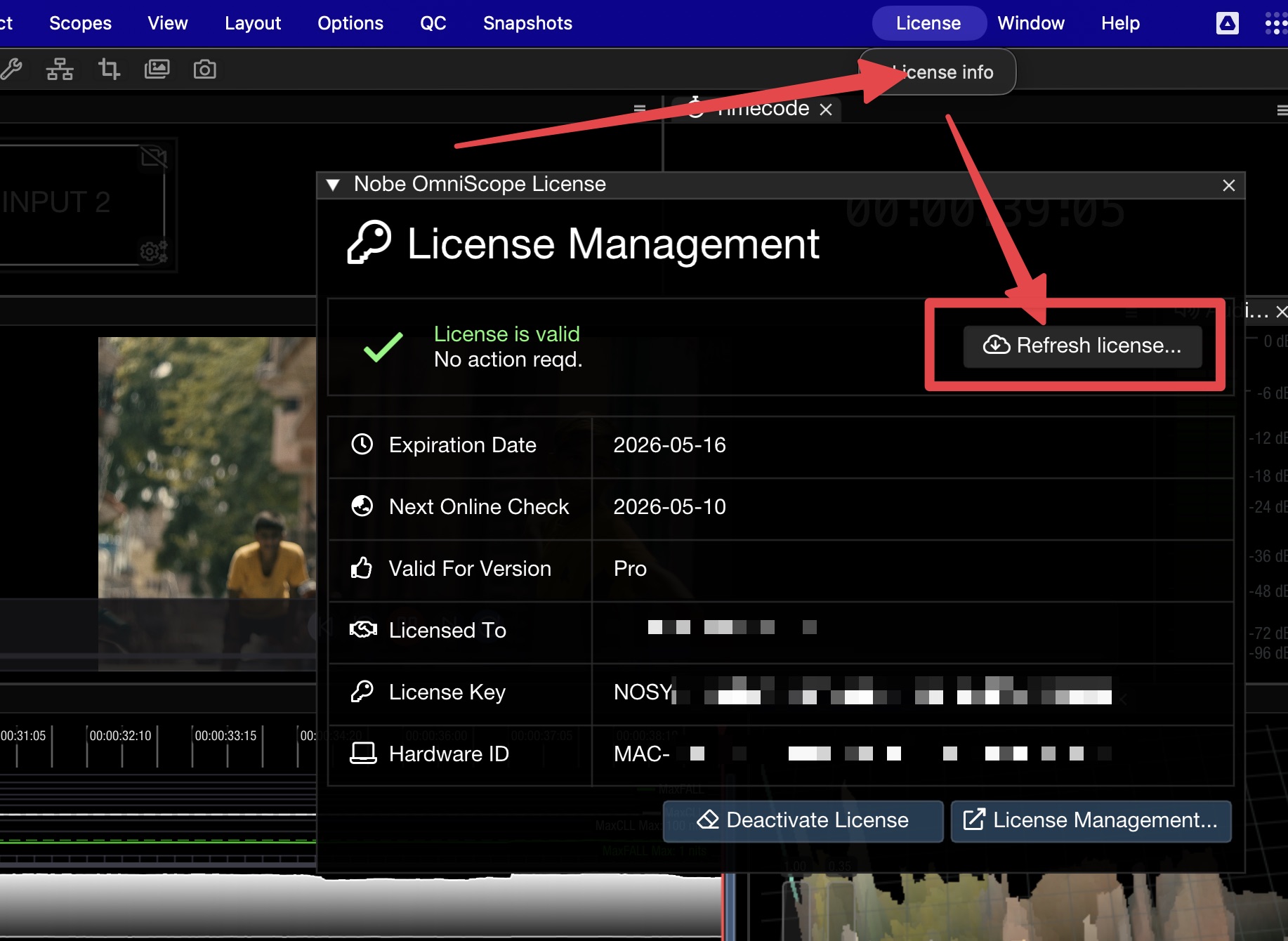
Use the Refresh license... button to fetch the latest license data.
After refresh, you should see the add-on entry in License info: Add-ons: Live Pack is active.
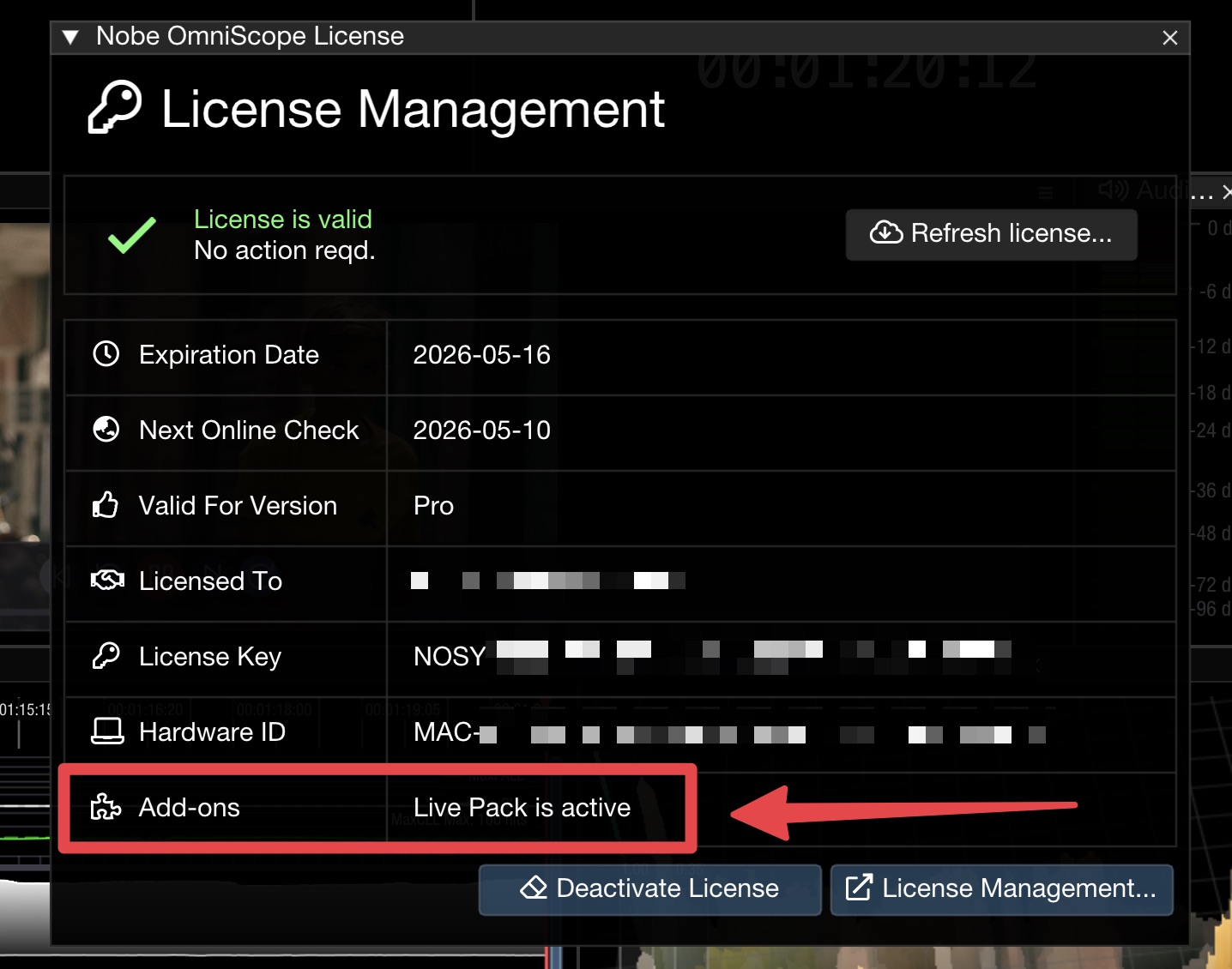
You can now use Live Pack features in OmniScope.

